
Last updated on
Nov 17, 2026

DA 705 2022-2026 free printable template
We are not affiliated with any brand or entity on this form
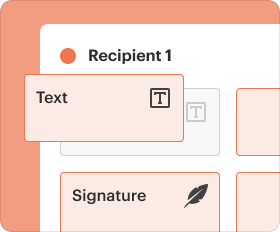
Fill out
Complete the form online in a simple drag-and-drop editor.
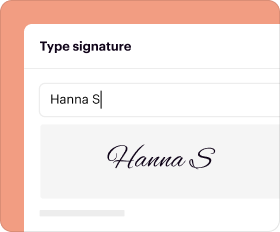
eSign
Add your legally binding signature or send the form for signing.

Share
Share the form via a link, letting anyone fill it out from any device.
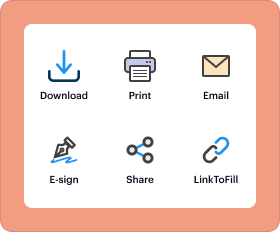
Export
Download, print, email, or move the form to your cloud storage.
Why pdfFiller is the best tool for your documents and forms


End-to-end document management
From editing and signing to collaboration and tracking, pdfFiller has everything you need to get your documents done quickly and efficiently.
Accessible from anywhere
pdfFiller is fully cloud-based. This means you can edit, sign, and share documents from anywhere using your computer, smartphone, or tablet.
Secure and compliant
pdfFiller lets you securely manage documents following global laws like ESIGN, CCPA, and GDPR. It's also HIPAA and SOC 2 compliant.
What is DA 705
The Army Combat Fitness Test Scorecard is a government form used by the U.S. Army to assess a Soldier's combat fitness capability.
pdfFiller scores top ratings on review platforms




great program needs to be alittle more user friendly.
You can find the tax forms you need all in one location.
It's excellent this thing help me out to sing out a multimillion contract!!! Thank you:D
I am just learning about this program. So far it is easy and appears secure. I have initially been using the redaction/ blackout feature for several PDF files that I am sending to a client and it has been very effective. I am impressed with the "save" feature in that it allows you to save the edited file in a different format, I.e. Word.
I enjoy the convenience of pdf filler. I am not computer savy - but I can use this !!!
I needed to type on an older document and this program seemed like a good choice. Also, since I can pay month to month I can stop when I am finished with the paperwork and that was a nice option.
Who needs DA 705?
Explore how professionals across industries use pdfFiller.

DA 705 is needed by:
-
Active Duty Soldiers preparing for the ACFT
-
Officers overseeing Soldier fitness evaluations
-
NCOs responsible for tracking fitness test compliance
-
Army recruitment centers assessing candidates
-
Fitness trainers specializing in military training
Comprehensive Guide to DA 705
What is the Army Combat Fitness Test Scorecard?
The Army Combat Fitness Test (ACFT) Scorecard serves as a pivotal tool in evaluating Soldier fitness. This scorecard plays a crucial role in assessing combat readiness and physical capabilities through a well-structured format. The document encompasses various physical performance metrics, including critical fields that track assessments like the deadlift and two-mile run. Accurate documentation in this scorecard is essential for military assessments and ensures adherence to standards.
Purpose and Benefits of the Army Combat Fitness Test Scorecard
The ACFT Scorecard has multiple purposes that significantly benefit both Soldiers and military units. First, it helps ascertain the combat readiness and physical capabilities of Soldiers. Utilizing this scorecard allows units to effectively track physical progress over time, enriching the training and operational context. Consequently, its role in military training cannot be overstated, as it serves as a benchmark for Soldiers' fitness evaluations.
Key Features of the Army Combat Fitness Test Scorecard
The ACFT Scorecard showcases several features that enhance its effectiveness in assessing Soldier fitness. Key physical performance metrics recorded include:
-
Deadlift
-
Hand-release push-ups
-
Sprint-drag-carry
-
Plank
-
Two-mile run
Additional attributes include optional events that allow for customization, ensuring the scorecard meets various operational needs. Furthermore, the requirement for signatures from both the Soldier and the Officer-in-Charge (OIC) or Non-Commissioned Officer-in-Charge (NCOIC) validates the evaluation process.
Who Needs the Army Combat Fitness Test Scorecard?
The target audience for the ACFT Scorecard includes anyone involved in the assessment and validation of Soldier fitness. Specifically, Soldiers are required to complete and sign the scorecard, while designated roles like the OIC and NCOIC also participate in this process. Only Soldiers meeting specific eligibility criteria must undertake the ACFT, which creates a structured approach to fitness evaluation within military units.
How to Fill Out the Army Combat Fitness Test Scorecard Online (Step-by-Step)
Filling out the ACFT Scorecard online is straightforward, following these essential steps:
-
Access the scorecard template online.
-
Begin entering required fields such as "NAME (Last, First, MI)" and "HEIGHT (inches)."
-
Fill in the performance metrics accurately.
-
Ensure to double-check all entries before submission.
Common challenges may arise during this process, such as confusion over metric entries; therefore, clarity on filling out sections will be beneficial.
How to Sign and Submit the Army Combat Fitness Test Scorecard
Signing and submitting the ACFT Scorecard requires attention to detail to ensure compliance. Users should understand the difference between digital signatures and wet signatures to follow the proper procedure. The completed scorecard must be submitted via designated channels, whether that be electronically or through physical delivery. Proactively tracking submissions can help confirm receipt and maintain accountability.
Common Errors and How to Avoid Them When Filling Out the Army Combat Fitness Test Scorecard
Several errors can compromise the integrity of the ACFT Scorecard. A common mistake includes recording incorrect metrics or leaving essential fields unfilled. To safeguard accuracy, consider these preventive tips:
-
Double-check filled fields against the performance data.
-
Utilize a checklist to ensure all required information is captured.
Such measures will drastically reduce the likelihood of oversights during form completion.
Security and Compliance for the Army Combat Fitness Test Scorecard
Maintaining security and compliance when handling the ACFT Scorecard is paramount. pdfFiller integrates robust security features, such as encryption and HIPAA compliance, to protect Soldiers' sensitive information. This commitment to data protection helps reassure users regarding their privacy while utilizing online services for completing the scorecard.
Submit Your Army Combat Fitness Test Scorecard Efficiently with pdfFiller
pdfFiller offers a user-friendly solution for completing the ACFT Scorecard efficiently. Its cloud-based capabilities facilitate editing, eSigning, and seamless form filling. By utilizing pdfFiller, users can take advantage of the robust security measures in place, allowing for accessible and secure document handling during the form submission process.
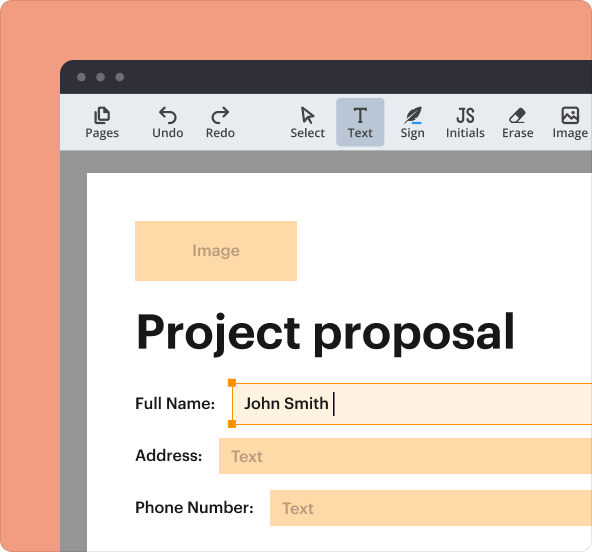
How to fill out the DA 705
-
1.To access the Army Combat Fitness Test Scorecard on pdfFiller, visit the website and search for the form by name in the search bar.
-
2.Once located, click on the form to open it within the pdfFiller platform.
-
3.Before filling it out, gather all necessary information such as your physical measurements and recent fitness test scores.
-
4.Begin completing the form by entering personal details in the designated fields. Use the fillable options for name, height, weight, and Soldier signature.
-
5.Utilize pdfFiller's checkbox feature for optional events or required metrics.
-
6.Carefully review each entry for accuracy to ensure compliance with U.S. Army standards.
-
7.After filling out the necessary information, finalize your form by checking for any missing sections or inaccuracies.
-
8.Once you are satisfied, save your progress by clicking the save button or download the completed scorecard to your device.
-
9.If required, submit the form following your command’s protocols, which may include printing or sending electronically.
Who is eligible to use the Army Combat Fitness Test Scorecard?
Active Duty Soldiers who are required to take the Army Combat Fitness Test are eligible to use the scorecard. It is also utilized by supervising officers and NCOs involved in fitness evaluations.
What happens if I submit the scorecard late?
Submitting the Army Combat Fitness Test Scorecard late may result in non-compliance with Army regulations. It's essential to follow your unit's deadlines to avoid any potential repercussions on your fitness record.
How can I submit the Army Combat Fitness Test Scorecard?
The scorecard can be submitted via traditional methods such as printing and handing it to your superior or electronically if your unit permits digital submissions. Always follow your command's specific submission procedures.
What supporting documents are needed with the scorecard?
Typically, no additional documents are required when submitting the Army Combat Fitness Test Scorecard. However, ensure that your personal information and test results are accurately recorded.
What are common mistakes to avoid when filling out this scorecard?
Common mistakes include entering incorrect personal information, missing required signatures, and failing to complete all necessary fields. Double-check entries before finalizing the form to avoid discrepancies.
How long does it take to process the scorecard?
Processing times for the Army Combat Fitness Test Scorecard can vary but are typically immediate if submitted electronically. Verify with your NCO or supervisor for specifics regarding your unit's processing timeline.
Can I fill out the scorecard digitally?
Yes, you can fill out the Army Combat Fitness Test Scorecard digitally on pdfFiller, making it easier to edit and submit your information accurately.
DA 705 Form Versions
Related Content
Related Forms

Get the latest insights from our blog


If you believe that this page should be taken down, please follow our DMCA take down process
here
.
This form may include fields for payment information. Data entered in these fields is not covered by PCI DSS compliance.